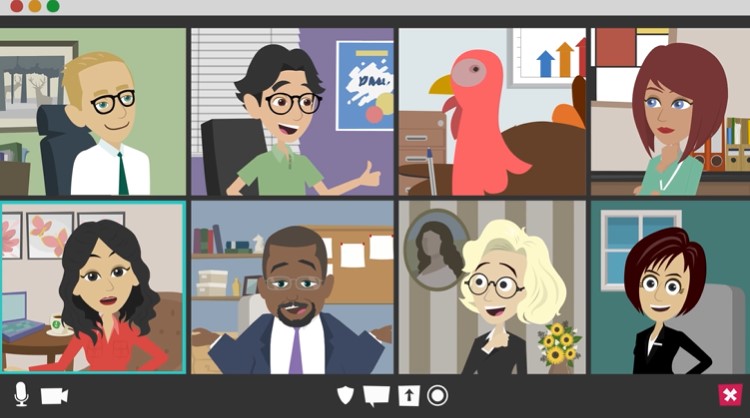
When planning a digital event or recurring webinar series, one of the most critical decisions you’ll make is your choice of platform. With the rapid evolution of virtual technology, features to look for in webinar platforms go far beyond a basic video stream. In today’s landscape, the right webinar platform is not just a tool—it’s a strategic partner in content delivery, audience engagement, data collection, and even lead nurturing.
“Technology should eliminate barriers. Webinars do that—in real time.” – Michael Dell
(source)
Let’s break down what really matters.
Features to Look for in Webinar Platforms
The right platform elevates every touchpoint—from sign-up to follow-up. But not all platforms are created equal.
Here’s what sets the best apart:
1. Scalability and Stability
Whether you’re hosting 20 attendees or 20,000, your platform must scale smoothly. Look for cloud-based infrastructure and support for high-definition video without lag.
Relevant read: Scalability in Webinar Platforms: Handling Large Audiences Effectively
2. Custom Branding Options
From registration pages to the webinar interface, every element should align with your brand. Look for platforms that allow logo placement, colour schemes, and branded emails.
3. Engagement Tools
Polls, Q&A sessions, interactive whiteboards, and chat functions are not optional—they’re essential. These features create a two-way experience that keeps audiences engaged.
“Engaging content is the foundation of trust. Interactivity builds the bridge.” – Jay Baer
4. Automation Capabilities
Top-tier platforms include automated email reminders, recording storage, post-event surveys, and analytics. Automation saves time and increases the efficiency of your team.
Explore our guide on Webinar Follow-Up Strategies to capitalise on this automation.
5. Integrations with CRM and Marketing Tools
Your platform should seamlessly integrate with your existing CRM, analytics, and email tools. Whether you use HubSpot, Salesforce, or Mailchimp, data flow should be automatic.
6. Accessibility and Inclusivity
Webinars must be accessible to everyone—including those with disabilities. Look for captioning, keyboard navigation, screen reader support, and multi-language capabilities.
Read: Webinar Accessibility: Ensuring Inclusivity for All Participants
What Are the Key Features of a Webinar?
At its core, a webinar should allow for:
- Real-time video and audio streaming
- Screen and slide sharing
- Audience participation via chat, Q&A, and polls
- Registration and attendee tracking
- Post-event analytics and feedback collection
These features lay the groundwork—but the execution depends on the platform you choose.
What Are the Requirements for a Webinar?
Planning a successful webinar doesn’t just mean choosing the right platform. You also need:
- A strong internet connection (minimum 5 Mbps upload/download)
- A high-quality microphone and webcam
- Clear slide deck or visual content
- Pre-planned interaction points (Q&A, polls)
- A marketing plan to drive attendance
Want to brush up your strategy? Read our blog on Webinar Series Planning
What’s the Best Webinar Platform?
There’s no one-size-fits-all, but here’s how the top players stack up:
| Platform | Best For | Key Features |
|---|---|---|
| Zoom Webinar | General Business Use | Breakout rooms, HD video, integrations |
| ON24 | B2B Marketing & Lead Gen | Engagement tools, analytics, content hub |
| GoToWebinar | Mid-sized Businesses | Easy setup, polls, surveys |
| WebinarNinja | Educators & Coaches | Landing pages, email automation |
| Airmeet | Virtual Event Creators | Networking tables, virtual booths, gamification |
Our clients often work with Zoom, ON24, and Airmeet depending on their goals. Check out our case study on ON24 Audience Support.
What Are the Features of Zoom Webinar License?
Zoom Webinar offers a scalable, reliable platform with:
- Up to 50,000 attendees
- Registration with approval management
- Practice mode for presenters
- HD video and audio for panelists
- Polling, Q&A, and attendee hand-raising
- Reporting on attendance, engagement, and polls
More info at Zoom Webinar Plans 🔗
The F.O.C.U.S. Model for Webinar Platform Selection
Use this decision-making framework when choosing your platform:
F – Functionality: What do you need it to do? List must-have vs nice-to-have features.
O – Optimisation: Can it handle scale, mobile users, and bandwidth fluctuations?
C – Customisation: How well can you brand it? How flexible is the user interface?
U – Usability: Is it intuitive for both host and attendees? What support is offered?
S – Scalability: Can it grow with your event programme?
If your platform doesn’t pass F.O.C.U.S., it’s not future-proof.
Don’t Just Choose a Platform—Build a Strategy
Platform selection is not a checkbox—it’s a strategy. The features you choose today will influence how your audience perceives your brand, how your team performs, and how effective your content is.
“The way we communicate with others and with ourselves ultimately determines the quality of our lives.” – Tony Robbins
For help building your platform stack, explore:
- Digital Event Marketing Strategies for Promoting Virtual Experiences
- The Impact of Webinar Platform Integrations on User Experience
- Zest City’s Digital Event Permanent Placement Services
Want expert help navigating your next digital event? See how we support companies at ZestCity.com.