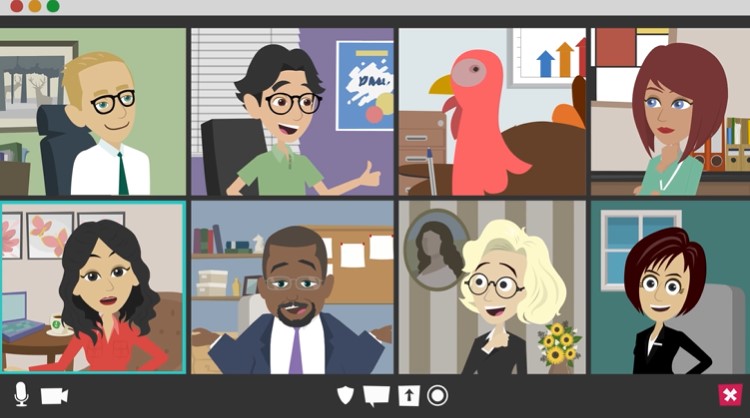
Engaging visuals are the cornerstone of successful webinars. Whether it’s slides, infographics, or live demos, using effective visuals ensures your audience remains captivated and your message is clearly communicated. In today’s fast-paced digital event landscape, capturing and maintaining your audience’s attention is essential for success. Experts like Tony Robbins have emphasized the power of visual storytelling in delivering impactful presentations, stating, “Where focus goes, energy flows.” This principle is crucial for webinars where visuals can make or break audience engagement.
The Importance of Visuals in Webinars
When presenting visuals, clarity and simplicity are key. A well-structured slide deck or infographic can significantly enhance your audience’s understanding of complex information. Visuals should serve as a guide to reinforce your points rather than distract. Studies show that people process visual information 60,000 times faster than text, making it an invaluable tool in digital presentations. Sheryl Sandberg of Facebook highlights the importance of visual clarity: “The best way to engage is to show, not just tell.”
Key Types of Visuals in Webinars
1. Slides:
Slides are a staple in webinars, but they must be designed thoughtfully. Use minimal text, focus on key points, and incorporate high-quality images or graphs. A simple layout with consistent fonts and colours maintains professionalism. Remember the “3-Second Rule”: your audience should understand each slide’s message in three seconds or less.
2. Infographics:
Infographics are powerful for presenting data in an easily digestible format. They provide a visual summary of key information and help convey complex statistics in an engaging way. Platforms like Canva make it easy to create professional-looking infographics that enhance the visual appeal of your webinar.
3. Live Demos:
Live demonstrations offer an interactive element that can keep audiences engaged. When using demos, ensure the technology is tested beforehand to prevent technical issues. Experts like Will Curran from Endless Events stress the importance of rehearsing live elements to ensure smooth delivery.
How to Make Your Webinars Interactive
Interactivity is crucial for engaging audiences in webinars. Here are some proven strategies:
1. Use Polls and Surveys:
Integrating polls and surveys allows participants to share their opinions and keeps them engaged. Tools like Zoom and GoToWebinar provide built-in features for real-time polling. Interactive polls not only engage your audience but also provide you with valuable insights into their preferences and opinions.
2. Leverage Q&A Sessions:
Live Q&A sessions encourage interaction, allowing participants to engage directly with the content. Schedule time in your webinar for Q&A, and ensure the platform you use supports this function seamlessly. For effective Q&A sessions, experts recommend using dedicated moderators to manage the flow and ensure participants’ questions are addressed promptly.
3. Integrate Gamification:
Gamification is an emerging trend in webinars that enhances interactivity and engagement. Incorporating quizzes, challenges, or rewards for participation makes the experience more engaging and memorable. Platforms like ON24 offer gamification features that can be easily integrated into your webinars.
Tips for Presenting Visuals Effectively
To maximize the impact of your visuals, follow these tips:
1. Maintain Consistency:
Ensure that your visuals have a consistent theme. This includes colour schemes, fonts, and style. Consistent visuals provide a professional look and make the content easier to follow. According to Dr. Stephen Covey, “Consistency builds trust.”
2. Highlight Key Points:
Avoid overcrowding slides with information. Instead, focus on highlighting key points using bullet points, icons, or minimal text. The audience should be able to grasp the core message quickly without feeling overwhelmed.
3. Test Your Visuals:
Before the webinar, test your visuals on the platform to ensure they display correctly. Different webinar platforms may alter the appearance of images or fonts, so double-checking ensures a smooth presentation. As noted by Julius Solaris from Markletic, “Preparation is the key to successful virtual events.”
Best Practices for Designing Engaging Slides
- Use High-Quality Images:
High-resolution images can make a significant impact. Avoid stock photos that appear generic; instead, choose visuals that are relevant and add value to your presentation. - Limit Text Per Slide:
Keep text minimal, using bullet points or keywords. A good rule is to keep text to a maximum of 6 lines per slide, with no more than 6 words per line. This is known as the “6×6 Rule.” - Utilize Animation Sparingly:
While animations can enhance engagement, overusing them can be distracting. Apply simple transitions and animations to emphasize points rather than adding unnecessary flair.
Example Model: The AIDA Framework for Webinar Visuals
Applying the AIDA model (Attention, Interest, Desire, Action) can help structure your visuals effectively:
- Attention: Capture your audience’s attention with a striking opening slide or infographic.
- Interest: Maintain their interest by presenting valuable information using visual aids like charts and graphs.
- Desire: Make your content relevant to their needs, using live demos or interactive elements to engage them.
- Action: Conclude with a strong call-to-action, guiding your audience on the next steps, such as signing up for a future webinar or accessing additional resources.
Tools and Platforms for Creating Engaging Webinars
To enhance the visual appeal and interactivity of your webinars, consider these tools:
- Canva: For creating infographics and slide designs that are visually appealing and professional.
- ON24: An all-in-one platform that offers interactive features such as polls, Q&As, and gamification elements.
- Zoom: Known for its robust webinar capabilities, Zoom integrates polls and live Q&A seamlessly.
For additional tips on creating engaging webinars, explore ZestCity’s blog post on Crafting Engaging Webinars for Event Success.